Expert Technical Guide · Boksburg & East Rand
The Ultimate Printer Troubleshooting & Repair Guide for South African Homes and Businesses: When to DIY vs. Call the Pros
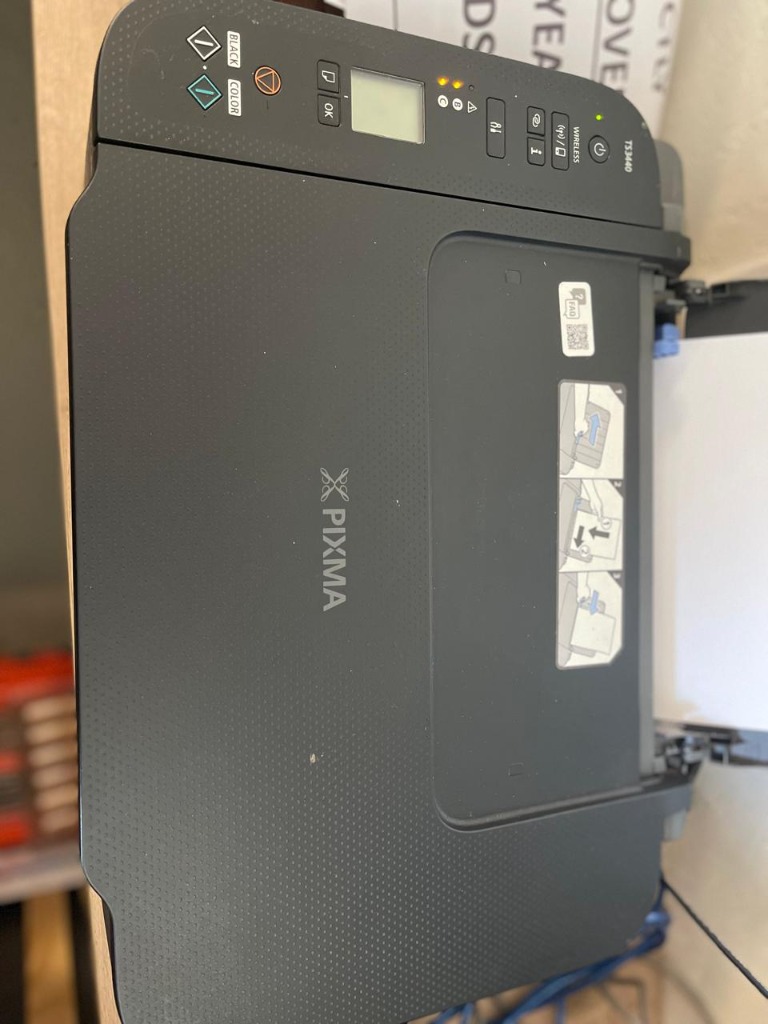
Real on-site diagnostics: We service Canon, HP, Epson, and Brother printers across the East Rand.
Printer problems cost South African homes and businesses more than they should — not because the problems are complex, but because most people either do too much or too little. They run five cleaning cycles when two would have been the limit. They replace a toner cartridge when the fuser was the problem. They force a jammed page when they should have stopped at the first sign of resistance. This guide gives you the exact framework a Boksburg printer specialist uses — so you know what to try, when to stop, and when to pick up the phone.
In this guide
The 3 expert rules every South African printer owner needs first
Before running a cleaning cycle, replacing a cartridge, or pulling a jammed page — do these three things. They eliminate 60% of unnecessary repair calls and prevent the DIY attempts that turn a minor issue into an expensive one.
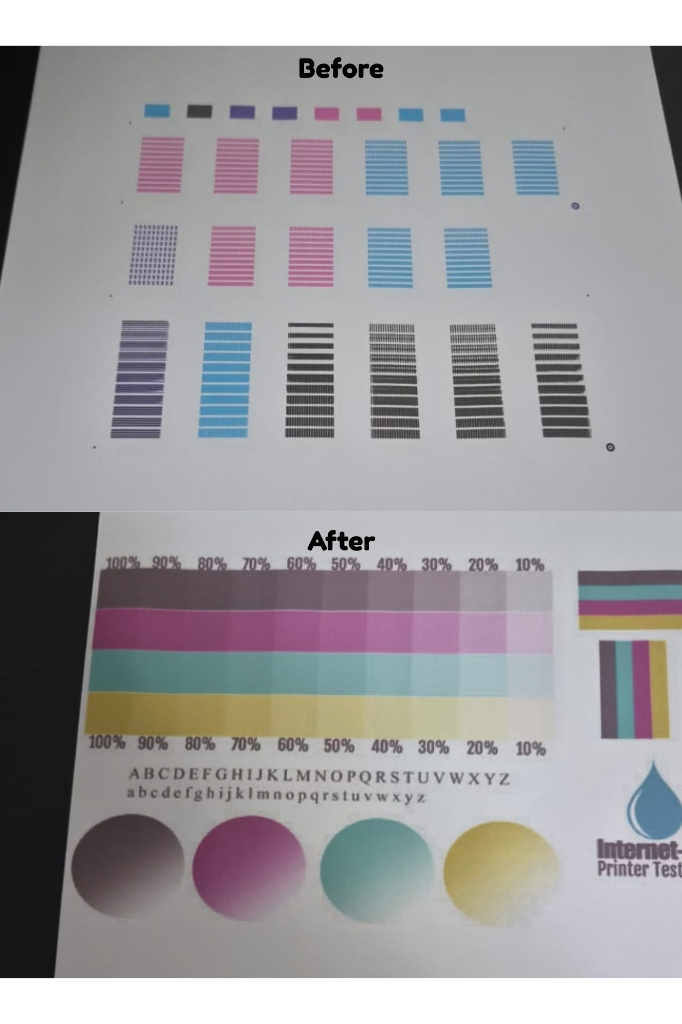
Always print a test page first. This before/after result shows how a professional cleaning cycle restores missing color channels.
"These three rules would eliminate 60% of unnecessary repair calls we receive. Most printer damage we see on-site was caused by the fix, not the original fault."
Ink tank & Cartridge printer troubleshooting: Epson, HP, Canon
Inkjet and tank printers are designed for high-volume, low-cost printing — but they have specific failure patterns that differ from laser printers. The most common issues are clogged nozzles from idle periods, air in the ink lines, and print head damage from incorrect ink or excessive cleaning cycles. Start with a nozzle check pattern before doing anything else.
Common symptoms and what they actually mean
| Symptom | Most likely cause | Action |
|---|---|---|
| Streaking in one colour | Partially clogged nozzle in that colour channel | DIY Nozzle check → 1–2 cleaning cycles |
| Complete colour missing | Fully blocked nozzle or air lock in ink line | PROFESSIONAL Air purge or deep clean needed |
| Faded overall output | Low ink level or incorrect paper type setting | DIY Check ink levels and paper settings first |
| No improvement after 2 cycles | Dried ink in print head, failing pump, or air in lines | STOP — CALL PRO Further cycles cause damage |
| Ink leaking under printer | Overfilled tank or failed ink absorber pad | PROFESSIONAL Absorber replacement needed |
| Printer not recognising ink | Wrong ink type or failed ink level sensor | PROFESSIONAL Sensor test and ink verification |
| Grinding noise during print | Carriage obstruction or failing carriage motor | STOP — CALL PRO Risk of carriage damage |
The safe DIY sequence for print quality issues
- Check ink levels first. Look at the physical tanks — not just the software indicator. Low ink in any tank produces streaking even if the other colours are full.
- Confirm paper type matches printer settings. Printing photo paper settings on plain paper, or vice versa, causes quality issues that look like hardware faults.
- Switch from wireless to USB temporarily. Connection issues cause incomplete print data that looks like print quality problems. A USB connection rules this out in 30 seconds.
- Print a nozzle check pattern. Go to Maintenance in your printer software. This shows exactly which colour channels have blockages — you'll see broken or missing lines in the affected colour.
- Run one head cleaning cycle. From the same Maintenance menu. This uses ink to flush the nozzles. Wait 5 minutes after the cycle completes.
- Print the nozzle check again. Compare to the first pattern. If it has improved, the cleaning is working. If it's identical, one more cycle may help.
- Run a second cycle maximum — then stop. If quality is still poor after two cycles, stop completely. Further cycles will not resolve the issue and will cause additional damage. This is the professional territory boundary.
Each cleaning cycle on an Epson EcoTank or HP Smart Tank draws ink through the print head under suction pressure. Running more than two cycles in succession can introduce air into the ink supply lines — creating an air lock that requires a professional purge to resolve. It also deposits waste ink into the absorber pad, which has a finite capacity. Stop at two. Every time.
The most common DIY mistakes
After years of on-site repairs across Boksburg and the East Rand, three mistakes come up constantly:
- Clogged print heads from sitting idle. Epson EcoTank and HP Smart Tank printers are high-volume machines. When they sit unused for weeks, ink dries in the nozzles. The fix people attempt — repeated aggressive cleaning — often causes more damage than the original blockage. Print at least one colour test page weekly to keep ink flowing.
- Running cleaning cycles until the ink tank is empty. We've seen customers run 8, 10, even 15 cleaning cycles trying to clear a blockage. By that point the tank is depleted, the absorber pad is saturated, and what started as a blockage has become a pump failure. Two cycles. Stop.
- Confusing a clogged nozzle with a failing print head. These are different problems with different solutions. A clogged nozzle responds to cleaning cycles. A failing print head does not — it needs professional servicing or replacement. The nozzle check pattern tells you which one you're dealing with: broken lines in one colour only = clogged nozzle. Broken or absent lines across multiple colours after cleaning = print head issue requiring professional attention.
Ink tank issue that won't clear after 2 cycles? We diagnose on-site across the East Rand.
Call us nowLaser printer troubleshooting: what's actually wrong vs. what you think is wrong
Laser printer users misdiagnose their faults constantly — and it costs them money. Ghost images aren't a toner problem, they're a drum problem. Faded print after a new cartridge isn't a toner problem, it's a fuser problem. Black vertical lines aren't a toner problem, they're a drum surface scratch. Understanding the difference before you buy a replacement cartridge saves you hundreds of rands.
The three most expensive laser printer misdiagnoses
1. Ghost images at regular intervals → Drum unit, not toner
If you're seeing faint shadow copies of text or images repeating at consistent intervals down the page — typically every 94mm — this is a drum unit fault. The drum surface has a scratch, contamination, or the photosensitive coating is worn. Replacing the toner cartridge will not fix it. The ghost images will persist with every new cartridge until the drum is addressed.
2. Faded print with a new toner cartridge → Fuser failure, not toner
When a laser printer produces faded, smearing, or rubbing-off print even after you've installed a new cartridge, the fuser assembly is failing. The fuser applies heat and pressure to bond toner particles permanently to the paper — when it degrades, toner doesn't bond regardless of cartridge quality. This is particularly common in South Africa where load shedding creates voltage irregularities that accelerate fuser wear.
3. Black vertical lines running down the page → Drum scratch, not toner
A consistent black line running vertically from top to bottom of every page is almost always a scratch on the drum surface — caused by a piece of debris in the paper path, a staple fragment, or a sharp object used to clear a jam. The scratch picks up toner on every rotation and deposits it as a line. A new toner cartridge will produce the same line immediately. The drum needs replacement.
| Symptom | What people think | What it actually is | Action |
|---|---|---|---|
| Ghost images repeating | Low toner | Worn or contaminated drum | PROFESSIONAL Drum replacement |
| Faded print — new cartridge | Bad cartridge | Fuser assembly failing | PROFESSIONAL Fuser service |
| Black vertical lines | Dirty cartridge | Drum surface scratched | PROFESSIONAL Drum replacement |
| Toner smearing/rubbing off | Wrong toner | Fuser temperature too low | PROFESSIONAL Fuser calibration |
| Horizontal banding | Low toner | Toner cartridge or drum fault | DIY Shake cartridge gently — if persists, call pro |
| Paper jams — every job | Wrong paper | Worn pickup rollers | PROFESSIONAL Roller replacement |
The most common waste we see is customers buying their third or fourth toner cartridge trying to fix a print quality issue that was never a toner issue. Ghost images, faded output, and vertical lines are hardware faults. If replacing the toner didn't fix it the first time, it won't fix it the second time either. A professional diagnostic costs less than another cartridge — and gives you an actual answer.
Why printers in South Africa fail differently
South African printers operate in conditions that don't exist in most European or American markets — and the failure patterns reflect that. Load shedding, power quality fluctuations, Gauteng humidity and dust levels, and the specific inks available locally all create failure modes that standard international troubleshooting guides don't account for.
Load shedding and mid-job interruptions: A printer cut off mid-job during load shedding can corrupt firmware settings, leave paper partially fed through the fuser assembly (causing a jam that can't be cleared normally), and in some cases trigger error states that require a factory reset or firmware reload. The mechanical stress of a sudden power loss during a print cycle is the equivalent of stalling a car engine at high RPM — it puts abnormal stress on components that are mid-cycle.
Power fluctuations and fuser damage: South African power supply fluctuates more than most markets, particularly in areas served by older infrastructure. Fuser assemblies are temperature-controlled components — voltage irregularities cause them to overheat, underheat, or cycle incorrectly. This accelerates fuser wear significantly beyond what the manufacturer's service life assumes.
Gauteng humidity and dust: Gauteng's dry winters and dusty environment accelerate drum wear and paper feed issues. Dust particles in the paper path are a major contributor to the pickup roller wear we see — and humidity changes cause paper to absorb moisture, which changes its behaviour in the feed mechanism and fuser.
Protecting your printer from South African conditions
- Use a quality UPS (Uninterruptible Power Supply) — not just a surge protector. A UPS provides regulated voltage output and gives your printer time to complete or safely abort a job during load shedding. This is the single highest-impact investment for printer longevity in SA.
- Cover your printer during load shedding off-periods — dust accumulates rapidly in a printer that sits uncovered, especially in dry Gauteng winters. A simple dust cover costs nothing and significantly extends drum and roller life.
- Store paper in a sealed ream wrapper until needed — paper that absorbs moisture from humid summer air or dries out in winter jams more frequently and stresses the fuser. Take only what you need from the ream.
- Print through load shedding periods, not immediately after — printers coming back online after a power cut benefit from a 30-second warm-up before printing. Send a small test job first, not a 50-page document.
The hidden costs of DIY failures
The most expensive printer repairs we carry out are not caused by hardware failure — they're caused by DIY attempts that went wrong. A simple fix attempted without the right knowledge can turn a R300 professional service call into a R1,500 component replacement, or write off a printer entirely.
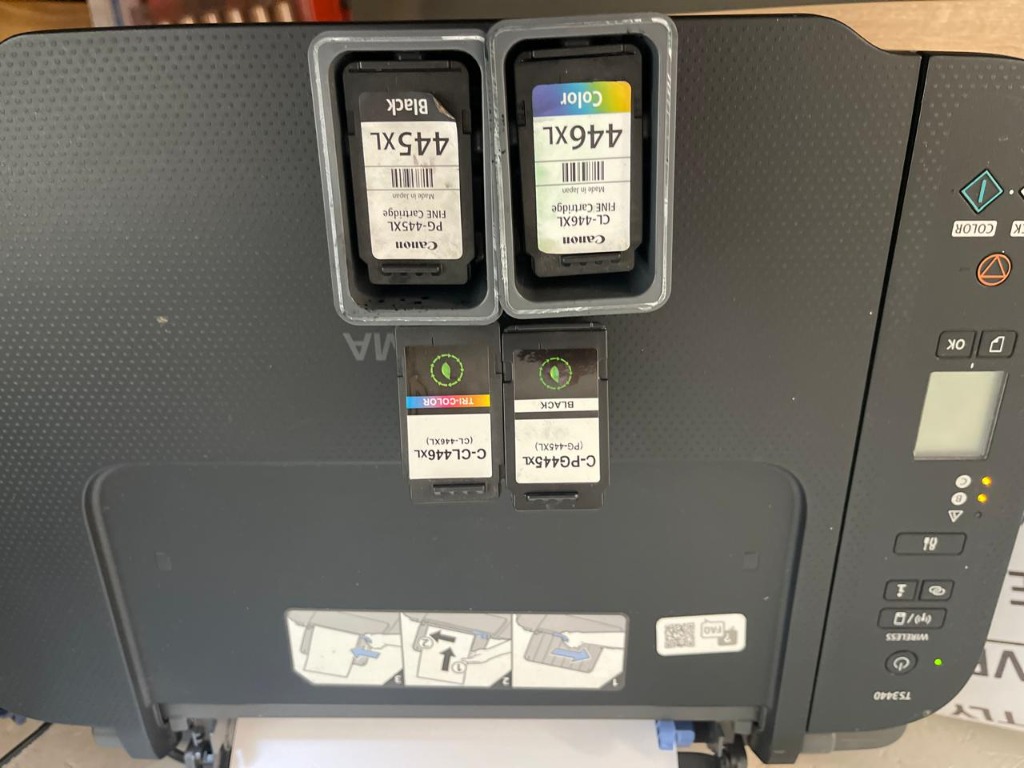
Removing cartridges for inspection. Faded prints can sometimes be misdiagnosed as empty ink when the real issue is a blocked printhead.
If what you're doing isn't improving the problem after one attempt — stop. A problem that hasn't responded to the first DIY intervention rarely responds to the second, third, or fourth. But each additional attempt adds new risks. The point where you stop is the point where a professional can still fix it economically. Keep going, and that window closes.
When to stop DIY and call a professional printer technician
The clearest signal that a print quality problem has crossed from DIY into professional territory is a nozzle check pattern that shows broken or absent lines in one colour only — after two cleaning cycles, that pattern indicates a blocked or failing print head that home cleaning cannot resolve. Any of the following situations also require professional attention immediately.
Call a professional when:
- The nozzle check shows broken lines in one colour only after two cycles — the blockage is beyond what software cleaning can clear
- Print quality is unchanged after two cleaning cycles — more cycles will cause damage, not improvement
- The problem persists after replacing the toner or cartridge — you're dealing with a hardware fault, not a consumable fault
- You hear grinding, clicking, or unusual noises during printing — mechanical components are under stress; continuing risks breaking them
- The printer jams on every job, not occasionally — the pickup rollers are worn and need replacement, not adjustment
- Ghost images appear and a new drum didn't fix it — deeper contamination in the transfer system
- The printer shows error codes that don't clear after a power cycle — firmware or sensor issue requiring diagnostic tools
- Ink is leaking from the printer body — absorber pad failure or internal ink line issue
- A jam was forced and the printer now behaves differently — possible sensor displacement or carriage damage
Printer crossed into professional territory? We service the full East Rand on-site.
Book a diagnosticFrequently asked questions
How do I troubleshoot ink tank printer print quality issues?
Start by printing a nozzle check pattern from your printer's maintenance menu — this shows exactly which colour channels have blockages before you do anything else. If broken lines appear in one colour, run a single head cleaning cycle and print the nozzle check again. Run a maximum of two cleaning cycles total — if quality hasn't improved after two, stop. Further cycles drain your ink tank, introduce air into the ink lines, and can cause permanent print head damage. At that point, professional diagnosis is needed.
Where can I find professional ink tank printer repair services near me in Boksburg?
Cartridge Mobile Clinic provides professional on-site ink tank printer repair across Boksburg and the full East Rand — including Benoni, Brakpan, Springs, and Germiston. We service Epson EcoTank, HP Smart Tank, Canon MegaTank, and all major ink tank models. We come to your home or office, diagnose on-site, and carry out most repairs in a single visit with no transport required.
Is it worth repairing an older printer or should I buy a new one?
In most cases repair is worth it if the cost is under 50% of the replacement cost and the printer is under 8 years old. Ink tank printers like the Epson EcoTank are built for high-volume use and have a long serviceable life — a clogged print head or failed pump does not mean the printer is written off. A professional diagnostic gives you the exact cost before you commit to anything, so you can make an informed decision rather than guessing.
What causes streaking on an Epson EcoTank or HP Smart Tank?
Streaking on ink tank printers is most commonly caused by a partially clogged print head nozzle — often from the printer sitting idle and ink drying in the channels. It can also result from incorrect third-party ink, air in the ink lines from overfilling, or a failing print head. Always print a nozzle check pattern first to identify which colour channel is affected before running any cleaning cycles.
Why does my laser printer print faded even with a new toner cartridge?
Faded print after a new toner cartridge is almost always a fuser issue, not a toner issue. The fuser applies heat and pressure to bond toner to paper — when it degrades, toner doesn't adhere regardless of cartridge quality. In South Africa, load shedding and power fluctuations accelerate fuser wear significantly. A second new toner cartridge won't fix it. The fuser needs professional inspection.
How does load shedding affect my printer?
Load shedding causes two types of printer damage. First, mid-job power cuts leave paper partially fed through the fuser, causing jams that can be difficult to clear safely. Second, voltage irregularities on the South African grid — particularly during load shedding transitions — accelerate fuser wear and can corrupt printer firmware. A quality UPS with voltage regulation is the most effective protection for South African printers.
Tried the DIY steps and still stuck?
We'll fix it — at your door.
Cartridge Mobile Clinic provides professional on-site printer diagnostics and repair across Boksburg, Benoni, Brakpan, Springs, Germiston, and the full East Rand. Ink tank specialists. Laser printer experts. All brands, all models. We come to you — diagnose first, quote before we touch anything, and don't leave until it works.