⚠ Printer Warning · Boksburg & East Rand
Why Forcing a Jammed Paper Can Cost You a New Printer
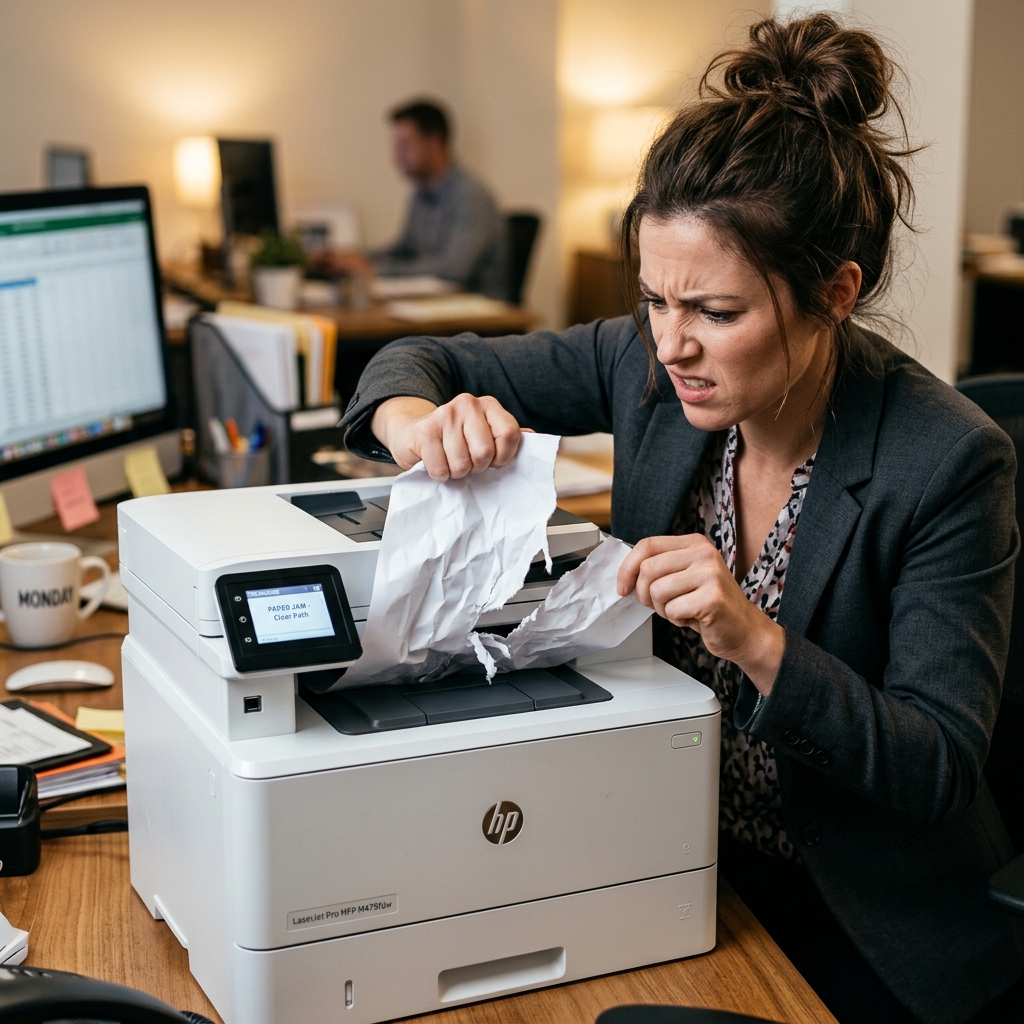
The paper is stuck. You can see it. You grab it — and pull. It tears. Now you pull harder. There's a crack. The printer makes a noise it has never made before.
Sound familiar? That moment costs Boksburg and East Rand business owners thousands of rands every year. Not because the jam was serious — but because the fix was. Here's what's actually happening inside your printer when paper gets stuck, what you're risking, and the exact steps to clear a jam without causing damage.
🚨 What a "simple" jam can turn into
- Pickup roller snapped — R400–R800 to replace
- Jam-detection sensor dislodged — R600–R1,200 to repair
- Document feeder arm bent or broken — R500–R2,000+
- Paper fragment in the fuser — fuser replacement R800–R1,800
- Printer written off entirely — full replacement cost
Why modern printers are far more fragile than they look
Ten years ago, office printers were built like tanks. Today's printers — especially multifunction devices with document feeders, duplex printing, and wireless connectivity — are engineered to be thinner, lighter, and cheaper to manufacture. That means internal components are smaller, tolerances are tighter, and parts that interact with paper are more delicate than ever.
There are three components that take the most damage when paper is forced out incorrectly:
1. The Pickup Rollers
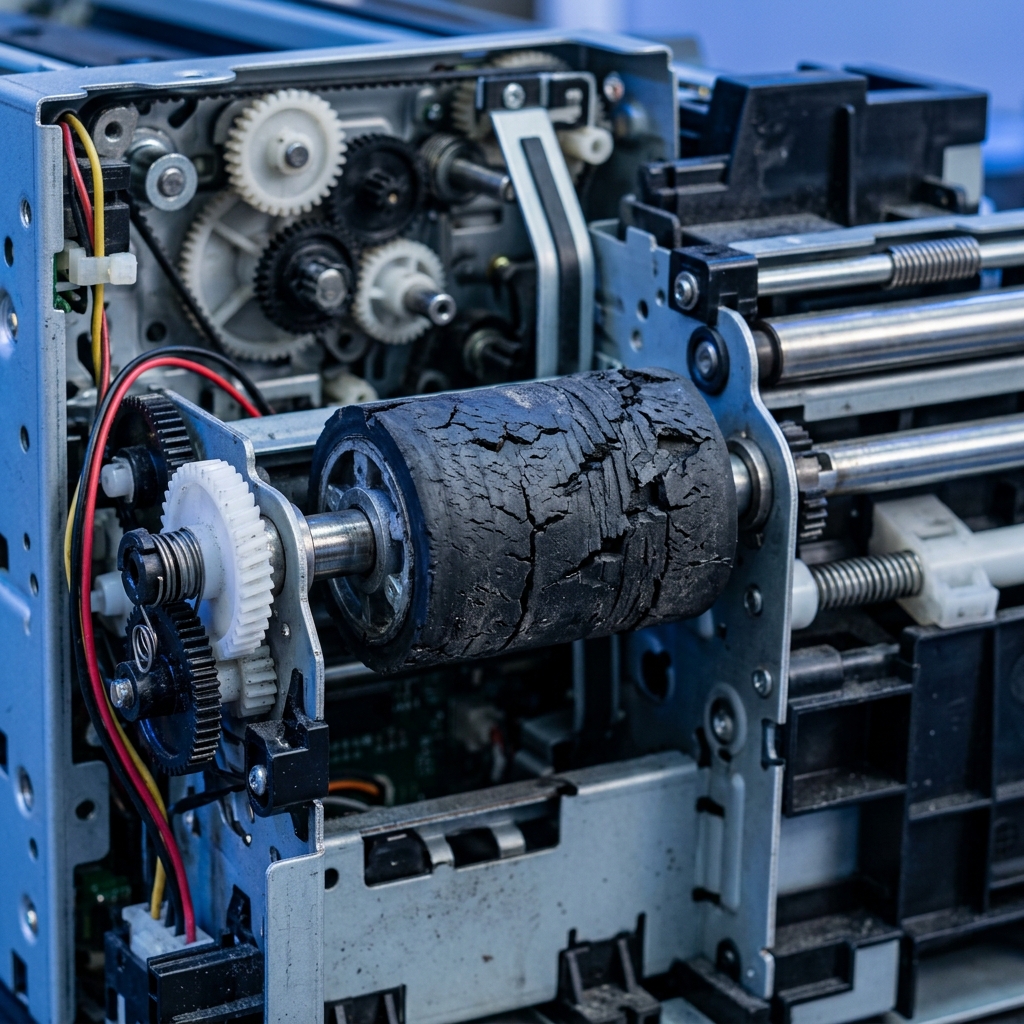
These rubber wheels grab paper from the tray and pull it into the feed path. When you pull a jammed page backward against these rollers, you're applying force in the exact opposite direction they're designed to handle. The rollers flex, crack, or are knocked out of alignment. Once a pickup roller is damaged, every print job becomes a potential jam.
2. The Jam-Detection Sensors
Modern printers have small plastic sensor arms sitting across the paper path. These arms are on hair-thin pivot points. A single sharp tug on a jammed page can snap the arm clean off — and without it, the printer either can't detect paper at all or throws a permanent jam error even when the path is clear. This is not a user-fixable repair.
3. The Automatic Document Feeder (ADF)
If your printer has a scanner on top with a document feeder, this is the most vulnerable part of the machine. The ADF uses rollers, separation pads, and guides built from thin plastic. Forcing a document out of a jammed ADF is one of the fastest ways to crack the feeder frame entirely.
The sharp tool myth: Using a pen, ruler, scissors, or screwdriver to "poke" jammed paper loose is something we see the aftermath of weekly. Sharp objects scratch drum surfaces, snap sensor arms, and puncture ink pathways. If your hands can't clear it safely, a tool won't either — you need a technician.
Printer jammed and won't clear? Don't risk it.
Call Us — We Come to YouThe real cost of forcing a paper jam — by component
| What Was Done | Component Damaged | Typical Repair Cost |
|---|---|---|
| Pulled paper backward with force | Pickup roller cracked or misaligned | R400 – R800 |
| Yanked paper out sharply | Jam sensor arm snapped | R600 – R1,200 |
| Used scissors or pen to poke paper loose | Drum surface scratched | R700 – R1,500 |
| Torn fragment left inside | Fuser assembly damage | R800 – R1,800 |
| Forced ADF jam | Feeder frame cracked | R500 – R2,000+ |
| Any of the above on older printer | Printer written off | Full replacement |
The right way to clear a paper jam — step by step
This is the exact sequence a technician uses. The key principle: always pull in the direction the paper was travelling, never against it.
Power off and unplug
Switch the printer off at the power button and pull the plug from the wall. The fuser assembly gets extremely hot and the motor can engage while you're working inside. Non-negotiable.
Open the rear access panel first
Most people open the front cover instinctively. On most HP, Canon, and Brother models, the rear access panel gives a straight, clear path to the paper without crossing rollers or sensors.
Pull slowly in the direction of travel
Paper travels from the tray toward the output. Pull it in that direction — toward where it would exit — using both hands and steady, even tension. If it doesn't move with gentle pressure, stop immediately.
Check for and remove every fragment
Use a torch to inspect the entire paper path. Even a thumbnail-sized piece of paper will cause the next jam. Plastic tweezers (not metal) can help for clearly visible fragments — never probe blindly.
Close panels, reconnect, and test
Close all panels securely, reconnect power, and switch the printer back on. Print a test page before resuming normal use.
After clearing a jam, fan your paper stack before reloading it. Paper sitting in a humid environment sticks together and feeds as a double sheet — the most common cause of repeat jams that have nothing to do with the printer itself.
What to never do during a paper jam
🚫 NEVER do any of the following:
Printer keeps jamming? It's probably the rollers — we fix it on-site.
WhatsApp Us NowWhen to stop trying and call a technician
- You can't see or reach the jammed paper — blind probing causes more damage than the jam itself
- The paper tore and you can't find all the fragments — a hidden fragment will jam every subsequent print job
- The jam error persists after clearing — the sensor arm may be displaced or broken
- The printer makes new noises after clearing — something moved that shouldn't have
- The printer jams on every job — the pickup rollers are worn and need replacement
- The ADF is involved — document feeder jams almost always need professional attention
Frequently Asked Questions
Can forcing a paper jam damage your printer?
Yes — it's one of the most common causes of printer damage we see. Yanking paper against the direction of travel can snap pickup rollers, dislodge jam-detection sensors, and drive torn fragments into the fuser assembly. What starts as a 2-minute fix becomes a R600–R2,000 repair.
What should you never do when clearing a printer jam?
Never pull paper backward against the feed rollers. Never use scissors, screwdrivers, or sharp tools inside the printer. Never pull with force if the paper won't move freely. Never clear a jam while the printer is still powered on.
Why does my printer keep jamming after I clear it?
Most likely causes: a paper fragment still in the feed path, worn or glazed pickup rollers, or a bent document feeder component. These require professional diagnosis — they won't resolve on their own.
How much does it cost to repair printer jam damage in Boksburg?
Pickup roller replacement: R400–R800. Sensor repair: R600–R1,200. Document feeder damage: R500–R2,000+. Cartridge Mobile Clinic provides a no-obligation on-site diagnostic across Boksburg and the East Rand.
Is it safe to use tools to remove a stuck paper jam?
No. Sharp tools can scratch drum surfaces, snap sensor arms, and puncture ink or toner pathways. Only plastic tweezers for a clearly visible, accessible fragment — with the printer fully powered off.
Printer jammed — or damaged from a jam?
We come to you.
Cartridge Mobile Clinic provides on-site diagnostics, pickup roller replacement, sensor repair, and document feeder servicing across Boksburg and the East Rand. No transport. No waiting. Fast turnaround.